
Table Of Contents
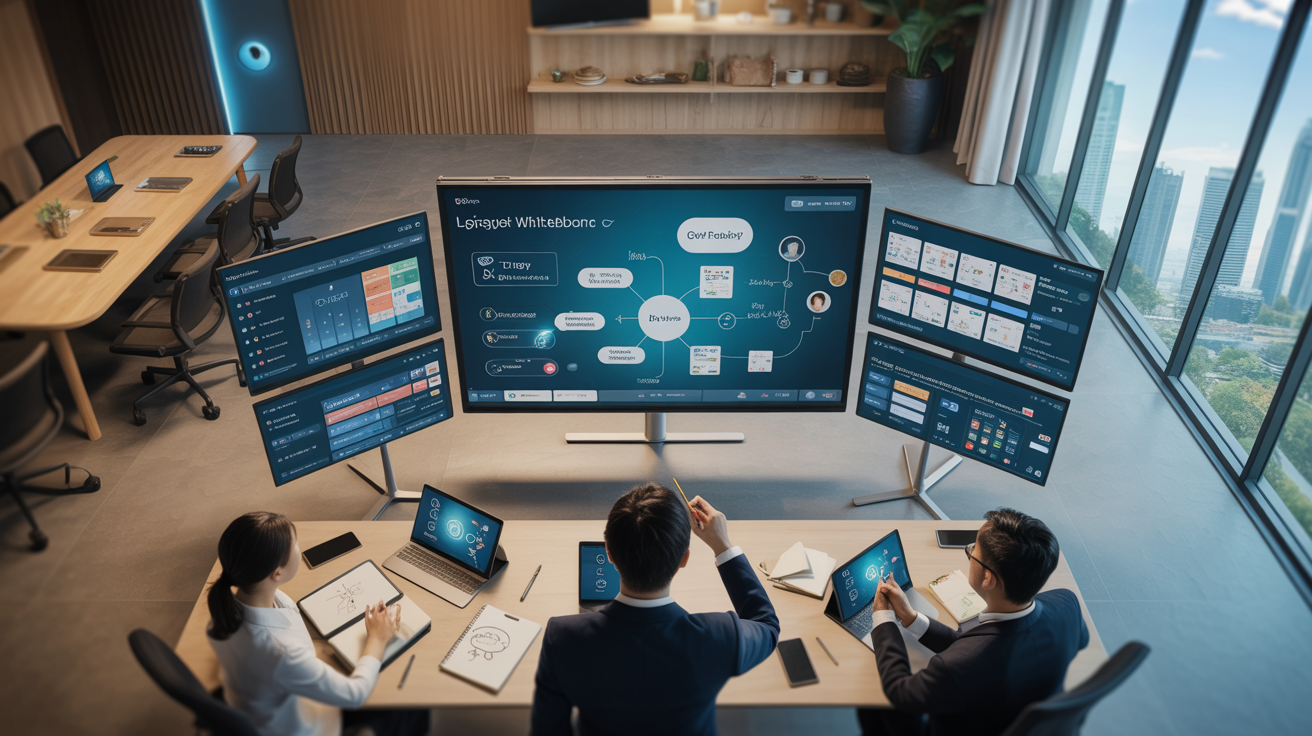
In today’s digital learning landscape, virtual collaboration tools have become essential for creating engaging and effective learning experiences. Among these tools, virtual whiteboards stand out as powerful platforms for facilitating interactive L&D workshops, especially in remote or hybrid learning environments.
At Trost Learning, we’ve leveraged virtual whiteboard tools across hundreds of learning programs to create transformative experiences for our clients. Whether you’re facilitating a brainstorming session, conducting a strategic planning workshop, or guiding participants through complex concepts, the right virtual whiteboard can elevate your L&D initiatives from merely informative to truly transformative.
This comprehensive review examines the top five virtual whiteboard tools specifically for L&D professionals. We’ll explore their unique features, strengths, limitations, and best use cases to help you select the ideal platform for your learning design needs. Our analysis is based on extensive hands-on experience with these tools across diverse learning contexts and organizational environments.
Why Virtual Whiteboards Are Essential for L&D Workshops
Traditional in-person workshops rely heavily on physical whiteboards, flipcharts, and sticky notes to facilitate collaboration and idea generation. In virtual or hybrid learning environments, digital whiteboard tools recreate and enhance these experiences by providing:
- Visual collaboration spaces that allow participants to contribute ideas simultaneously, regardless of location
- Persistent workspaces that capture workshop outputs and allow for asynchronous engagement
- Interactive learning experiences that increase participant engagement and knowledge retention
- Flexible facilitation options that adapt to different learning preferences and thinking styles
- Integrated tools for capturing, organizing, and sharing workshop outcomes
Our experience at Trost Academy has shown that virtual workshops utilizing effective whiteboard tools can achieve participation rates up to 40% higher than traditional video conferencing alone. The visual, collaborative nature of these platforms creates more equitable participation opportunities and supports diverse thinking preferences, leading to richer learning outcomes.
Key Features to Look for in Virtual Whiteboard Tools
When selecting a virtual whiteboard tool for L&D purposes, certain features are particularly valuable for creating effective learning experiences. Based on our experience designing S.M.A.R.T. Play Experiences at Trost Play, we recommend prioritizing these key capabilities:
Intuitive User Interface: Learning experiences should focus on content, not tool mastery. Look for platforms with gentle learning curves that participants can quickly navigate without extensive training.
Diverse Content Creation Tools: The best whiteboard platforms offer various content elements like sticky notes, shapes, connectors, text boxes, and drawing tools that support different thinking styles and workshop methodologies.
Template Library: Pre-designed templates for common workshop activities such as empathy mapping, retrospectives, and journey mapping can save preparation time and ensure consistent quality across learning experiences.
Real-time Collaboration: Seamless multi-user editing capabilities create truly interactive experiences where all participants can contribute simultaneously while maintaining awareness of others’ actions.
Integration Capabilities: Integration with video conferencing, learning management systems, and productivity tools creates a seamless experience that minimizes platform switching during learning experiences.
Facilitation Tools: Features like participant tracking, attention management, timer functions, and voting mechanisms give facilitators greater control over the learning experience.
Privacy and Security: Particularly important for corporate training contexts, look for platforms that offer robust security features, access controls, and compliance with relevant data protection regulations.
Top 5 Virtual Whiteboard Tools for L&D Professionals
Based on our extensive experience designing and delivering learning experiences at Trost Learning, we’ve identified the following five virtual whiteboard tools as the most effective for L&D applications. Each platform offers unique strengths that make it suitable for specific learning contexts and objectives.
1. Miro: Best Overall Virtual Whiteboard for L&D
Miro has established itself as the gold standard for virtual whiteboard experiences, offering an exceptional combination of versatility, intuitiveness, and integration capabilities that make it particularly well-suited for L&D applications.
Key Strengths:
- Infinite canvas with exceptional performance even with complex boards and multiple users
- Extensive template library with L&D-specific templates for workshops, training, and coaching
- Rich toolset including sticky notes, shapes, connectors, smart drawing, mind maps, and frameworks
- Robust facilitation features like timer, voting, attention management, and presentation mode
- Comprehensive integration ecosystem (Zoom, Teams, Slack, Google Workspace, etc.)
- Advanced collaboration features including cursor tracking, commenting, and video chat
Limitations:
While Miro excels in nearly every aspect, its comprehensive feature set can feel overwhelming for first-time users. The free plan limits users to three editable boards, which may constrain ongoing L&D programs. Additionally, the enterprise pricing can be substantial for smaller organizations or independent consultants.
Best For: Complex workshop facilitation, design thinking sessions, strategic planning, and comprehensive learning programs that require persistent workspaces across multiple sessions. Miro’s versatility makes it our top recommendation for learning designers who regularly facilitate virtual or hybrid workshops.
2. MURAL: Best for Visual Collaboration and Workshops
MURAL offers a focused approach to visual collaboration that makes it particularly effective for structured workshop experiences and guided learning journeys. Its thoughtful facilitator features and methodical approach to collaboration set it apart.
Key Strengths:
- Superb facilitation tools including summon feature, private mode, timer, and voting
- Structured approach to collaboration with comprehensive template library organized by methodology
- Outline and area features make organizing complex boards more manageable
- Excellent for guided workshop experiences with features like visitor tracking and permissions
- Clean, intuitive interface that’s less intimidating for new users
- Robust enterprise security features and administrative controls
Limitations:
MURAL’s canvas performance can sometimes lag with very complex boards or large participant groups. The platform’s focus on structured collaboration sometimes comes at the expense of freeform ideation flexibility. Like Miro, the pricing for full features can be significant for smaller organizations.
Best For: Guided workshop experiences where facilitator control is important, structured learning methodologies, and organizations that value consistency in learning experiences. MURAL particularly shines when implementing workshops that align with our Emergenetics Workshop & Programmes methodologies.
3. Conceptboard: Best for Creative Learning Experiences
Conceptboard distinguishes itself with superior visual design capabilities and creative tools that make it excellent for learning experiences focused on visual thinking, design education, and creative problem-solving workshops.
Key Strengths:
- Superior drawing tools and vector manipulation capabilities
- High-resolution canvas that maintains visual fidelity even when zooming
- Excellent support for images, PDFs, and other visual assets
- Clean, distraction-free interface that puts content at the forefront
- Team organization features that support ongoing learning programs
- Good balance of structure and creative freedom
Limitations:
Conceptboard offers fewer integration options than Miro or MURAL, which can limit its utility in complex tech ecosystems. The template library, while growing, isn’t as extensive as competitors. Some advanced facilitation features found in other platforms are missing or less developed.
Best For: Learning experiences centered around visual thinking, creative problem-solving workshops, design education, and situations where visual quality is paramount. It’s particularly effective for programs that align with our Trost Design approach to inspire, integrate, and innovate.
4. Microsoft Whiteboard: Best for Microsoft 365 Environments
For organizations deeply invested in the Microsoft ecosystem, Microsoft Whiteboard offers a seamlessly integrated solution that, while more limited than specialized tools, provides excellent functionality within Teams-based learning environments.
Key Strengths:
- Deep integration with Microsoft Teams and the broader Microsoft 365 ecosystem
- No additional licensing costs for organizations with Microsoft 365
- Familiar interface for Microsoft users reduces learning curve
- Tight integration with other Microsoft tools like OneNote and PowerPoint
- Good basic whiteboard functionality with improving template options
- Strong enterprise security and compliance features
Limitations:
Microsoft Whiteboard offers significantly fewer features than dedicated platforms like Miro or MURAL. The canvas size is more limited, and performance can degrade with complex boards. Template options, while improving, remain limited compared to specialized tools.
Best For: Organizations heavily invested in Microsoft 365 that need basic whiteboard functionality integrated with Teams. It’s ideal for simpler workshop activities, quick collaborative sessions, and learning environments where minimizing platform switching is a priority.
5. Google Jamboard: Best for Simple Collaboration Needs
Google Jamboard offers a streamlined, accessible whiteboard experience that excels in simplicity and ease of use. While limited compared to specialized tools, its integration with Google Workspace makes it an excellent choice for basic collaborative learning activities.
Key Strengths:
- Extremely intuitive interface that requires virtually no training
- Seamless integration with Google Workspace (Docs, Slides, Drive)
- No-friction collaboration with simple sharing via Google accounts
- Free for Google Workspace users
- Works well on mobile devices and tablets
- Quick to set up for impromptu collaboration
Limitations:
Jamboard is significantly more limited in functionality than dedicated whiteboard tools. The canvas size is restricted to a series of fixed frames rather than an infinite canvas. Features for templates, advanced shapes, connectors, and facilitation tools are minimal or absent.
Best For: Simple, quick collaborative activities, basic ideation sessions, and learning environments where ease of access is more important than advanced functionality. It’s particularly useful for quick activities within S.M.A.R.T Play Experiences where reducing barriers to participation is essential.
Integrating Virtual Whiteboards with Emergenetics Profiling
One particularly powerful application we’ve discovered at Trost Learning is the integration of virtual whiteboard tools with Emergenetics Profiling. This approach allows facilitators to design whiteboard experiences that intentionally engage different thinking preferences and behavioral attributes.
Emergenetics Profiling identifies four thinking attributes (Analytical, Structural, Social, and Conceptual) and three behavioral attributes (Expressiveness, Assertiveness, and Flexibility) that influence how individuals engage with learning experiences. By understanding these preferences, L&D professionals can design virtual whiteboard activities that resonate with diverse thinking styles:
Analytical Thinking: Create dedicated spaces for data analysis, logical reasoning, and critical evaluation. Tools like Miro and MURAL support this through frameworks, diagramming capabilities, and structured templates.
Structural Thinking: Implement clear instructions, sequential activities, and organized templates. Microsoft Whiteboard’s straightforward approach often resonates with structural thinkers.
Social Thinking: Incorporate collaborative activities, discussion prompts, and opportunities for group synthesis. MURAL’s facilitation tools excel at supporting these social learning dimensions.
Conceptual Thinking: Provide open ideation spaces, visual thinking tools, and creative frameworks. Conceptboard’s superior visual capabilities make it particularly effective for engaging conceptual thinkers.
By deliberately designing virtual whiteboard experiences that engage the full spectrum of thinking preferences, L&D professionals can create more inclusive, effective learning experiences that resonate with diverse participants.
Best Practices for Using Virtual Whiteboards in L&D
Based on our experience delivering over 800 programs across various learning contexts, we’ve identified several best practices for effectively leveraging virtual whiteboard tools in L&D settings:
Design for Engagement First: Begin with learning objectives and engagement strategies, then select appropriate whiteboard features—not the other way around. The technology should serve the learning experience, not define it.
Create Clear Visual Instructions: Include visual cues and instructions directly on the whiteboard to guide participants, especially for asynchronous activities or complex exercises. Clear wayfinding reduces cognitive load and keeps focus on learning.
Build Progressive Complexity: Start with simpler whiteboard interactions before moving to more complex activities. This scaffolding approach builds confidence and competence with both the tool and the learning content.
Establish Collaboration Norms: Set clear expectations for how participants should interact on the whiteboard, including guidelines for adding, modifying, and commenting on content. These norms create psychological safety for contribution.
Incorporate Multimodal Learning: Combine whiteboard activities with other learning modalities such as discussion, reflection, and application exercises. This approach supports diverse learning preferences and strengthens knowledge retention.
Plan for Technical Challenges: Always have contingency plans for technical issues, including simplified alternative activities that can be quickly implemented if participants struggle with the whiteboard technology.
Capture and Share Outputs: Develop a systematic approach for documenting, synthesizing, and sharing the outputs from whiteboard sessions to extend the learning beyond the synchronous experience.
By following these practices, L&D professionals can create whiteboard-based learning experiences that are both technically smooth and pedagogically sound.
Conclusion
Virtual whiteboard tools have transformed the landscape of L&D workshops, creating new possibilities for engagement, collaboration, and learning effectiveness. The five platforms reviewed in this article—Miro, MURAL, Conceptboard, Microsoft Whiteboard, and Google Jamboard—each offer distinct advantages for different learning contexts and objectives.
When selecting the right tool for your L&D initiatives, consider not only the features and capabilities of each platform but also how they align with your specific learning objectives, participant profiles, and organizational context. Often, the most effective approach involves utilizing different platforms for different types of learning experiences rather than trying to force-fit all activities into a single tool.
At Trost Learning, we’ve found that the thoughtful integration of virtual whiteboard tools with evidence-based learning methodologies, including Emergenetics Profiling, creates transformative learning experiences that engage diverse thinking styles and drive meaningful outcomes. By selecting the right tool, designing intentional learning experiences, and implementing effective facilitation techniques, L&D professionals can leverage virtual whiteboards to create truly impactful learning journeys.
As virtual collaboration continues to evolve, we remain committed to exploring innovative ways to use these tools to enlighten, engage, and empower learners across diverse contexts and organizations.
Ready to Transform Your L&D Workshops?
Discover how Trost Learning can help you design and deliver engaging, effective virtual learning experiences using the right tools and methodologies for your unique context.
Our team of learning design experts can guide you in selecting and implementing the most appropriate virtual whiteboard solutions for your specific learning objectives.